
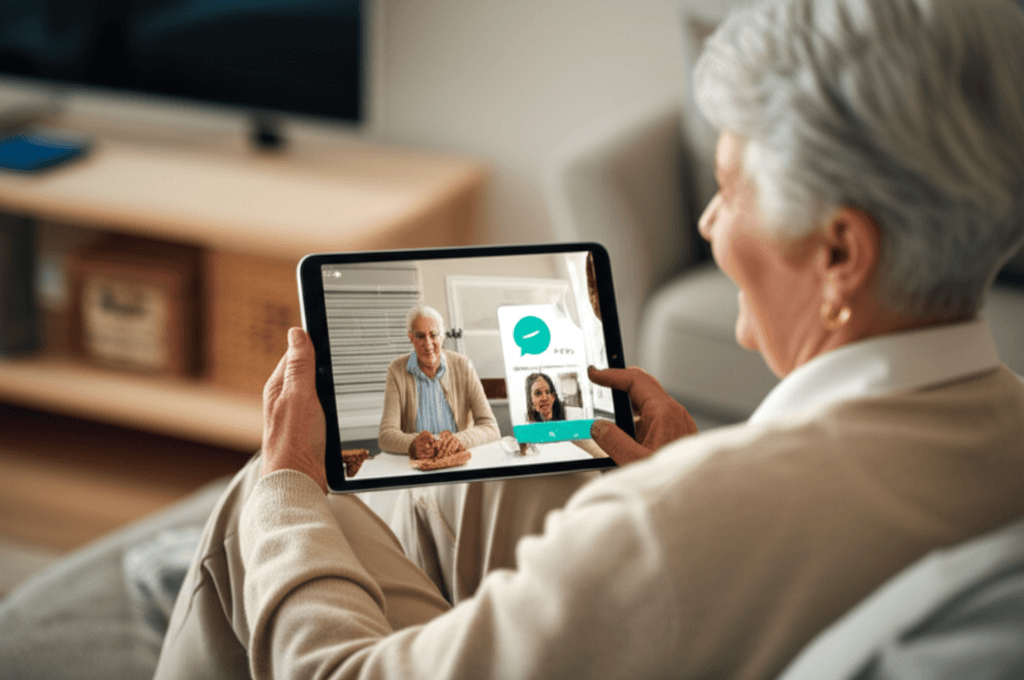
Technology is not a novelty for older adults. It is a practical tool that can protect dignity while preserving the right to live with independence. In homes and living communities across the country, devices and systems are changing how seniors manage health, move around the house, and stay in touch with family and care teams. When chosen and used with attention to human needs each innovation can support older adults in ways that respect choice and comfort.
This article explains why tech is crucial for dignified senior living today. It looks at common concerns families face and offers practical examples and tips for selecting tools that keep daily life safer and more enjoyable. The goal is to provide clear steps that caregivers and older adults can take so technology becomes a practical partner rather than a source of stress.
Why dignity matters when adding technology to daily life
Dignity in living means being treated with respect, retaining privacy, and having control over personal decisions. For older adults that often includes managing health, finances, social life, and privacy at home. Technology that ignores these priorities can feel intrusive. Thoughtful tools on the other hand can support independence while honoring personal boundaries. That balance is why technology has become a vital element in modern elder care.
Consider a medication reminder that allows a person to confirm they took a dose without a family member calling every evening. That preserves autonomy and reduces unnecessary worry for relatives. Small design choices like clear labeling and minimal steps to operate a device increase the chance that a tool will be used and valued.
Safety systems that protect while preserving privacy
Falls and missed medical events remain leading concerns for older adults living alone. Certain technologies reduce those risks while avoiding constant observation. For example motion sensors placed in hallways can detect unusual inactivity and send an alert to a caregiver without sharing video. Wearable devices can detect a fall and request help with a single button press. These solutions focus on outcomes rather than continuous surveillance which helps maintain personal space.
Detecting incidents without overstepping
Devices that rely on aggregated signals rather than detailed recordings help maintain privacy. Pressure sensors in a bed can tell if someone has not risen by a typical time. Door sensors can show if the front entrance is opened at unusual hours. Flags can be set so alerts go only to designated people. Clear consent and easy controls let the person living in the home choose what is shared and with whom.
Choosing nonintrusive technology
Practical tips include starting with a single risk area such as fall detection and testing devices for a few weeks. Look for systems that use straightforward language and let the resident pause alerts during private moments. Ask vendors whether data is stored locally or in the cloud and how access is controlled. These questions highlight how safety and privacy can coexist.
Health monitoring that supports routine and early action
Remote health checks allow early intervention before a small change becomes an emergency. Blood pressure monitors that transmit readings to a primary care team or medication dispensers that log doses and send reminders can reduce hospital readmissions. Telehealth visits let an older adult speak with clinicians from home for routine follow up. These tools keep regular care connected to life at home which often improves outcomes.
When choosing health devices prioritize easy setup and clear instructions. Devices that require minimal calibration or that sync automatically with a phone or hub reduce the daily burden. Families should verify interoperability so data flows to the right clinician rather than remaining trapped in a single app.
Design principles that preserve dignity and encourage use
Good product design matters more than brand names. Accessibility features such as larger fonts tactile buttons and voice interaction matter to people with sensory changes. Interfaces that present a single clear action per screen reduce confusion. Finally products that can be controlled by a trusted family member or caregiver with consent help when memory or dexterity becomes an issue.
- Simple setup increases acceptance
- Clear feedback reduces frustration
- Options to limit sharing protect autonomy
- Physical controls complement digital ones
Example practical choice: a pill dispenser with audible prompts that also shows dose history on a companion app. That gives the person independence in daily routine and lets a distant relative confirm adherence when needed.
Social connection tools that reduce isolation
Loneliness has measurable effects on health. Technology that makes socializing easier can have wide reaching benefits. Video calls remain a strong option but simple alternatives also help. Photo frames that update from a family album app bring visual reminders of loved ones. Voice activated devices can play music podcasts and radio with a single command. These features support emotional health without creating a steep learning curve.
Organized online groups for hobby interests or local community updates are another way for older adults to stay engaged. Libraries and senior centers often offer low cost classes that teach basic skills so people feel confident in using these tools.
Implementation tips for families and communities
Introducing technology works best when the older adult leads the decision. Schedule a conversation about goals such as safety reducing chores or staying connected. Try devices on a trial basis and limit changes to one new tool at a time. Label chargers and remotes so they are easy to find and provide a simple one page guide with step by step instructions and contact numbers for troubleshooting.
- Start small and build trust
- Include the person in procurement and setup
- Create a visible support plan for maintenance
- Set review points to reassess needs
Community level adoption benefits from staff training that focuses on respectful use. Training should include how to set up consent preferences and how to respond to alerts without taking over daily choices.
Where to look for practical technologies and trusted vendors
Not every product on the market is a good fit. Look for vendors that publish clear privacy policies and provide local support. Read user reviews and ask for demonstration units when possible. Local aging services organizations often maintain lists of recommended tools that have been tested with real users.
For curated examples that focus on dignity and independence check resources that review products with those values in mind. One helpful resource is available for people seeking evidence based options including devices and design approaches that respect autonomy senior safety solutions and links to further reading and case studies.
Cost considerations and funding options
Costs vary widely. Some solutions are low cost such as medication reminder apps while devices with 24 hour monitoring services carry monthly fees. Research possible coverage through insurance programs Medicare Advantage plans and local grants targeted to older adults. Nonprofit organizations and community programs sometimes offer vouchers or loaner equipment. When budgeting include installation and ongoing support rather than only the purchase price.
Tip for families: create a trial period budget. Try a service for three months and measure outcomes such as fewer emergency calls improved medication adherence and better social contact. If results match the goals consider longer term commitment.
Training and ongoing support strategies
Successful use depends on ongoing support. Create a single person or small team responsible for routine checks and updates. Maintain a simple checklist for maintenance tasks such as charging devices updating passwords and reviewing notification settings. Regular short practice sessions can reduce frustration and help people feel confident using the tools they rely on.
Simple troubleshooting steps
Start with power and connectivity checks. Label common error messages with suggested next steps. Keep a list of phone numbers for technical support and decide in advance when it is appropriate to call for professional help. Clear roles reduce delay when an issue arises.
Technology is a means not an end. When chosen to match real needs it helps seniors maintain autonomy safety and social ties while protecting privacy. The most successful implementations come from shared planning informed by practical trials honest conversations and ongoing support. Families and communities that place dignity at the center of decision making find that technology becomes a quiet partner in daily life rather than a disruptive presence.
Conclusion
Technology plays a crucial role in dignified senior living today. It reduces risk and supports routine while allowing older adults to remain in familiar surroundings with control over how their data and daily activities are handled. Practical choices range from simple timers and medication reminders to more advanced remote health checks and noninvasive safety systems. The right approach begins with listening to what matters to the person who will live with the solution and testing choices in real living conditions. Start with one priority such as fall prevention or medication management and measure results after a short trial period. Seek vendors who provide clear privacy terms local support and options to limit data sharing. Involve family members and care partners in training and maintenance and set a schedule for periodic review. If you are ready to explore options gather a short list of needs preferences and budget then contact local aging services for recommendations and hands on demonstrations. Taking these steps will help you select tools that protect health and dignity while making daily life easier for the person you care about. Act now to review one area of need and test a well matched solution over a few weeks so you can see real benefits without overwhelming anyone.